Organize Your Money With Quicken
- /
-
- OrganizeYourMoneyWithQuicken
- 0000-Workshop-In-A-Box
- 0000-Workshop-In-A-Box
- Images
- 0001-Getting-Started-With-Quicken
- 0001-Entry-Screen-For-Quicken.png
- 0002-Quicken-Was-Owned-By-Intuit.png
- 0003-2017-Not-Advertised-As-Intuits-Product.png
- 0004-2017-Rental-Property-Was-A-Seperate-Product-From-Home-And-Business.png
- 0005-Quicken-Is-Now-A-Yearly-Subscription-Service.png
- 0006-Intuit-Sold-Quicken-In-2016.png
- 0007-Intuit-Kept-TurboTax-Quickbooks-Others.png
- 0008-Create-A-Quicken-Online-ID.png
- 0009-Once-Youve-Created-An-ID-You-Can-Sign-In.png
- 0010-Enter-One-Time-Passcode-For-Your-Data-Vault.png
- 0011-Once-Created-You-Can-Sync-To-Mobile.png
- 0012-Once-You-Complete-The-Step-Your-Registration-Is-Complete.png
- 0002-What-Version-Do-I-Need
- 0001-Which-Version-Do-I-Need.png
- 0002-Note-How-Long-Your-Version-Of-Quicken-Will-Be-Supported.png
- 0003-Have-A-Conversation-With-Your-Tax-Professional-About-Which-Will-Be-Needed.png
- 0003-Naviating-Quicken
- 0001-Using-The-File-Command.png
- 0002-Backup-Command.png
- 0003-Import-From-Other-Software-Into-Quicken.png
- 0004-Export-Quicken-Into-Other-Software.png
- 0005-File-Operations.png
- 0006-Be-Aware-Of-Where-Your-File-Is-Located.png
- 0007-Reports-Menus-Give-You-Views-Of-Your-Money.png
- 0004 Initial File Operations
- 0001-Set-Your-Data-Password-File-Menu.png
- 0002-Set-The-Custom-Password.png
- 0003-Set-A-Password-To-Modify-Transactions.png
- 0004-Set-Password-To-Modify-Transactions.png
- 0005-Back-Up-Your-File.png
- 0006-Click-The-Back-Up-Now-Button.png
- 0005 Cash On Hand
- 0001-Tools Menu-Add-An-Account.png
- 0002-Click-Cash-Button.png
- 0003-Give-The-Cash-Account-A-Name-And-How-Its-Used.png
- 0004-To-Edit-Find-The-Account.png
- 0005-Click-On-The-Date.png
- 0006-Get-A-Transfer-Warning.png
- 0007-Requirement-To-Edit-Transactions.png
- 0008-Click-On-The-Amount-To-Edit-The-Number.png
- 0009-Another-Transfer-Warning.png
- 0010-Password-Transfer-Then-Required.png
- 0006-Add-PayPal-Standard
- 0001-Add-Account.png
- 0002-Click-Checking.png
- 0003-Type-In-PayPal.png
- 0004-Write-In-Your-Paypal-Login-And-Password.png
- 0005-Save-Your-Password.png
- 0006-Type-In-Your-Vault-Password.png
- 0007-Click-Connect.png
- 0008-Quicken-Will-Verify-Your-Account.png
- 0009-Classify-As-Savings-Or-Checking.png
- 0010-Choose-Whether-To-Download-Data-Into-Quicken.png
- 0011-Write-A-Nickname-For-Your-Account.png
- 0012-Designate-How-The-Account-Will-Be-Used.png
- 0013-Click-Next-Quicken-Will-Start-Adding-Data.png
- 0014-Click-Finish-And-Quicken-Will-Sync-To-The-Cloud.png
- 0015-Notification-Message-When-Sync-Is-Complete.png
- 0007-Determine Category
- 0001-Click-On-The-Line-Item-And-Category.png
- 0002-Click-The-Drop-Down-Arrow.png
- 0003-Determine-The-Category.png
- 0004-You-Can-Click-The-New-Category-Button.png
- 0005-Write-In-The-Name-Of-The-Category-Youll-Be-Tracking.png
- 0006-Make-It-A-Sub-Category-If-Applicable.png
- 0007-Write-In-A-Description.png
- 0008-For-Tax-Reporting-Categories-Work-With-Your-Tax-Professional.png
- 0009-Use-The-Search-To-Find-Existing-Related-Categories.png
- 0008-Paypal-For-Business-ID-Too-Long
- 0001-ID-Error-Message-From-Quicken.png
- 0002-Login-To-Paypal-Business-And-Go-To-Your-Profile.png
- 0003-Go-To-The-My-Settings-Link.png
- 0004-Click-The-Update-Link-Under-Manage-Users.png
- 0005-Click-Add-User.png
- 0006-Create-A-User-ID.png
- 0007-Give-Virtual-Agent-Permissions.png
- 0008-Use-Your-New-Login-And-Password.png
- 0009-Uncategorized Transactions
- 0001-Home-Screen.png
- 0002-Click-Inside-The-Category-Of-Each-Uncategorized-Transaction.png
- 0003-Save-And-Enter-Your-Transaction-Password.png
- 0010-Accounting-For-Future-Recurring-Payments
- 0001-Tools-Screen-Manage-Bills-And-Income-Reminders.png
- 0002-Bill-And-Income-Reminder-Screen.png
- 0003-Click-Yes-To-Schedule-Payment-Reminder.png
- 0004-Click-To-Correct-The-Category.png
- 0005-Indicate-Any-New-Tags.png
- 0006-Fill-In-Relevant-Optional-Settings.png
- 0007-Click-The-Enter-Button-To-Place-It-On-The-Regsiter.png
- 0008-Enter-The-Expesnse-Transaction-Into-The-Register.png
- 0011-Memorize-Payees-and-Payments
- 001-Go-To-The-Memoirze-Payee-Tab.png
- 0002-Click-The-Checkbox.png
- 0003-Click-The-Edit-Button.png
- 0004-Edit-The-Category-And-Other-Information.png
- 0012 Memorize Payments and Payees
- 0001-Tools-Menu.png
- 0002-Open-The-Memorized-Payees-List.png
- 0003-Click-The-Checkbox-Of-The-Payment-Or-Payee-You-Want-To-Memorize.png
- 0004-Click-The-Edit-Button.png
- 0005-Change-Categories-And-Other-Information.png
- 0006-Untick-The-Download-Button-If-It-Is-An-Automated-Transaction.png
- 0007-You-Can-Also-Manually-Create-A-Payee.png
- 0013-Tracking Reciepts
- 0001-Save-As-A-PDF.png
- 0002-Find-The-Matching-Transaction-And-Click-The-Gear.png
- 0003-Click-Attachments.png
- 0004-Click-Add-File-From-The-Dialog-Box.png
- 0005-Add-The-PDF-Reciept.png
- 0006-Click-The-Document-Menu.png
- 0007-Export-The-Reciept-File.png
- 0014-Splitting Transactions
- 0001-Go To the Transaction to Be Split.png
- 0002-Click-On-The-Gear-Icon.png
- 0003-Decide-On-Proportions-In-The-Split-Transaction-Window.png
- 0004-Click-Okay.png
- 0005-Save-The-Transaction.png
- 0006-Enter-The-Transaction-Password.png
- 0015 Tracking Cash Purchases
- 0001-Use-The-Cash-On-Hand-Account-To-Track-Purchases.png
- 0002-Write-In-The-Payee.png
- 0003-Write-A-Notation-In-The-Memo-Section.png
- 0004-Determine-The-Category.png
- 0005-Click-The-Add-An-Attachment-Link.png
- 0006-Write-In-The-Amount-Spent.png
- 0007-Click-The-Save-Button.png
- 0016-Monitoring Cash Position with Calendar
- 0001-Tools-Menu.png
- 0002-Calendar.png
- 0003-The-Calendar-App-Should-Open.png
- 0004-Click-Options.png
- 0005-Click-Select-Calendar-Accounts.png
- 0006-Select-The-Accounts-We-Want-To-Reflect-In-The-Calendar.png
- 0017-Is The Business Profitable
- 0001-Go-To-Reports-Tab.png
- 0002-Pull-Up-Profit-And-Loss-Statement.png
- 0003-Look-At-The-Month-To-Date-Statement.png
- 0004-Analyze-The-MTD-Statement.png
- 0005-Hover-And-Drill-Down-To-Investigate.png
- 0006-Click-The-Plus-To-Look-At-Individual-Transactions.png
- 0007-Look-At-Last-Month.png
- 0008-Drill-Down-And-Investigate.png
- 0009-Look-At-Custom-Date-Ranges.png
- 0018-Tracking Reciepts on Mobile
- 0001-Go Into the Account You're Spending From.png
- 002-Click the Plus Button.png
- 003 Enter The Transaction Amount.png
- 004-Choose a Payee.png
- 005-Click Next.png
- 006 Click the Camera Button.png
- 007 Click Take Photo.png
- 008-Snap the Image of The Reciept.png
- 009 Click Use Photo.png
- 010-Click the Done Button.png
- 011-The Transaction Is Added.png
- 012-Sync-Desktop-With-One-Step-Update.png
- 013-Purchase and Attachment Is Now Synced.png
- 0019-Tracking-Mileage
- 0001-Go-To-The-Business-Section.png
- 0002-Choose-Business-Tools.png
- 0003-Click-The-Mileage-Tracker-Link.png
- 0004-Enter-Data-Into-The-Mileage-Counter.png
- 0005-Click-Enter-Trip.png
- 0006-Track-Other-Kinds-Of-Tax-Deductible-Mileage.png
- 0020-Is-My-Data-Secure
- 001-Quick-The-Drop-Down-Arrow.png
- 002-Click-All-Accounts-For-One-Step-Updates.png
- 003-Untick-Sync-To-Quicken-Cloud.png
- 004-Click-Manage-Accounts-To-Sync.png
- 005-Choose-Accounts-To-Sync.png
- 006-Click-Update-Accounts.png
- PowerPoints
- 0001-GettingStartedWithQuicken.pptx
- 0002-What Version Do I Need.pptx
- 0003-Navigating Quicken.pptx
- 0004-Initial File Operations.pptx
- 0005-Cash On Hand.pptx
- 0006-Add PayPal (Standard).pptx
- 0007-Determine Category.pptx
- 0008-PayPal For Business ID Too Long.pptx
- 0009-Uncategorized Transactions.pptx
- 0010-Accounting For Future Recurring Payments.pptx
- 0011-Memorize Payees and Payments.pptx
- 0012-Memorize Payments And Payees.pptx
- 0013-Tracking Reciepts.pptx
- 0014-Splitting Transactions.pptx
- 0015-Tracking Cash Purchases.pptx
- 0016-Monitoring Cash Position With Calendar.pptx
- 0017-Is The Business Profitable.pptx
- 0018-Tracking Receipts On Mobile.pptx
- 0019-Tracking Mileage.pptx
- 0020-Is My Data Secure.pptx
- Audio Course
- 0001-Getting-Started-With-Quicken.mp3
- 0002-Which-Version-of-Quicken-Do-I-Need.mp3
- 0003-Navigating-Quicken.mp3
- 0004-Initial-File-Security-Operations.mp3
- 0005-Set-Up-Cash-On-Hand.mp3
- 0006-Set-Up-Paypal-Standard.mp3
- 0007-Categorize-Your-Transactions.mp3
- 0008-Setting-Up-A-Second-Or-Paypal-Business-Account.mp3
- 0009-Setting-Up-Checking.mp3
- 0010-Working-With-Uncategorized-Transactions.mp3
- 0011-Categorizing-Payments-That-Come-Out-Of-Your-Account.mp3
- 0012-Memorizing-Payments-And-Payees.mp3
- 0013-Tracking-Reciepts.mp3
- 0014-Accouting for Part Business-Part Personal Tranactions-Splitting-Transactions.mp3
- 0015-Tracking-Cash-Purchases.mp3
- 0016-Monitoring-Cash-Position-With-Calendar.mp3
- 0017-Is-My-Business-Profitable.mp3
- 0018-Using-Your-Mobile-Device-To-Track-Transactions.mp3
- 0019-Tracking-Mileage-In-Quicken.mp3
- 0020-Is-My-Data-Secure.mp3
- Banners
- Banners
- 120x600px.jpg
- 125x125px.jpg
- 200x200px.jpg
- 300x250px.jpg
- 468x60px.jpg
- 728x90px.jpg
- Edited-Bonus-Webinar
- Edited-Bonus-Webinar.mp4
- Lead Magnet.pptx
- Edited-Lead-Magnet
- Edited-Lead-Magnet.mp4
- Lead Magnet.pptx
- Lead Magnet Page
- Lead Magnet Page
- images
- 550 video Player.png
- bundle small.png
- button.png
- footerbg.png
- headerbg.png
- lead magnet large.png
- progress.gif
- index.html
- thankyou-page.html
- Private Webinar_ Recording of the Lead Magnet and Basic Financial Statements
- Private Webinar_ Recording of the Lead Magnet and Basic Financial Statements.mp4
- Pro-Graphics Package
- Bullets & Arrows
- arrow.png
- arrow32px.png
- button-addtocart.png
- checkmark.png
- checkmark32px.png
- claim now.png
- download.png
- Ecover Designs
- Bundle
- Thumbs.db
- bundle.png
- CD
- cd.png
- Card
- card.png
- Cheatsheet
- cheatsheet.png
- Checklist
- checklist.png
- DVD
- dvd.png
- Ebook
- ebook.png
- Lead Magnet
- leadmagnet.png
- Mobile
- mobile.png
- Monitor
- monitor.png
- iPad
- ipad.png
- Flat Design
- flat design .jpg
- Sales Page
- Sales Page
- bootstrap
- css
- bootstrap-theme.css
- bootstrap-theme.css.map
- bootstrap-theme.min.css
- bootstrap-theme.min.css.map
- bootstrap.css
- bootstrap.css.map
- bootstrap.min.css
- bootstrap.min.css.map
- fonts
- glyphicons-halflings-regular.eot
- glyphicons-halflings-regular.svg
- glyphicons-halflings-regular.ttf
- glyphicons-halflings-regular.woff
- glyphicons-halflings-regular.woff2
- js
- bootstrap.js
- bootstrap.min.js
- npm.js
- css
- mycss.css
- images
- Audio Player.png
- body.jpg
- body.png
- bodybg.png
- bundle large.png
- button-addtocart.png
- checklist large.png
- claim now.png
- download-button.png
- download.png
- dvd.png
- ebook small.png
- footer.png
- footerbg.png
- guarantee.png
- guarantee2.png
- header.png
- headerbg.png
- mindmap.png
- resource large.png
- index.html
- thankyou-page.html
- Videos 1-10
- 0001-Getting-Started-With-Quicken.mp4
- 0002-Which-Version-of-Quicken-Do-I-Need.mp4
- 0003-Navigating-Quicken.mp4
- 0004-Initial-File-Security-Operations.mp4
- 0005-Set-Up-Cash-On-Hand.mp4
- 0006-Set-Up-Paypal-Standard.mp4
- 0007-Categorize-Your-Transactions.mp4
- 0008-Setting-Up-A-Second-Or-Paypal-Business-Account.mp4
- 0009-Setting-Up-Checking.mp4
- 0010-Working-With-Uncategorized-Transactions.mp4
- Videos 11-20
- 0011-Categorizing-Payments-That-Come-Out-Of-Your-Account.mp4
- 0012-Memorizing-Payments-And-Payees.mp4
- 0013-Tracking-Reciepts.mp4
- 0014-Accouting for Part Business-Part Personal Tranactions-Splitting-Transactions.mp4
- 0015-Tracking-Cash-Purchases.mp4
- 0016-Monitoring-Cash-Position-With-Calendar.mp4
- 0017-Is-My-Business-Profitable.mp4
- 0018-Using-Your-Mobile-Device-To-Track-Transactions.mp4
- 0019-Tracking-Mileage-In-Quicken.mp4
- 0020-Is-My-Data-Secure.mp4
- 1472774217051759363.htm
- 4301040285560399362.htm
There really is a reason that large companies, whether publicly traded, privately held, start-ups, or long-time business owners, all rely on financial statements.
Whether you are just learning how to use financial software or you're an experienced professional, understanding how to use it to get organized is vital for making the right decisions for the right reasons.
Imagine being able to evaluate a potential purchase or investment and having complete confidence in its potential impact on your business. Once you comprehend the fundamentals of your financial statements, you can make informed decisions about every aspect of your business.
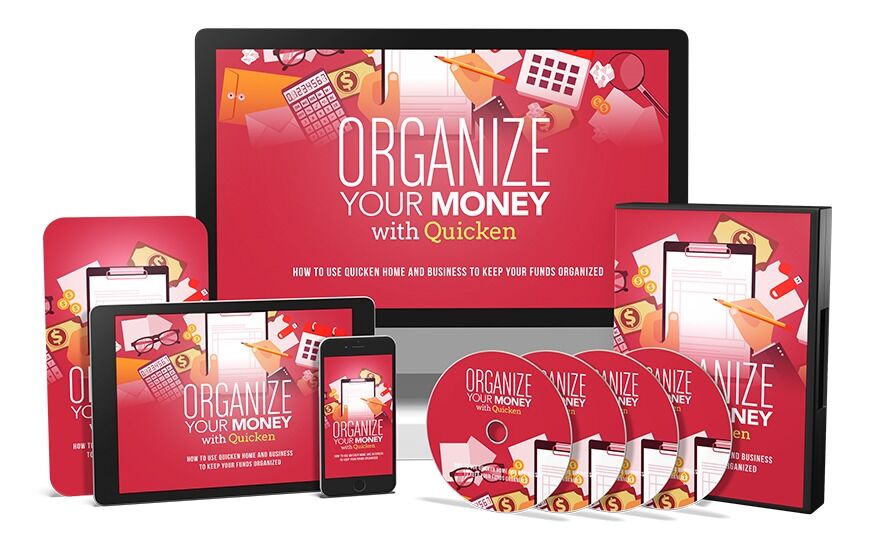
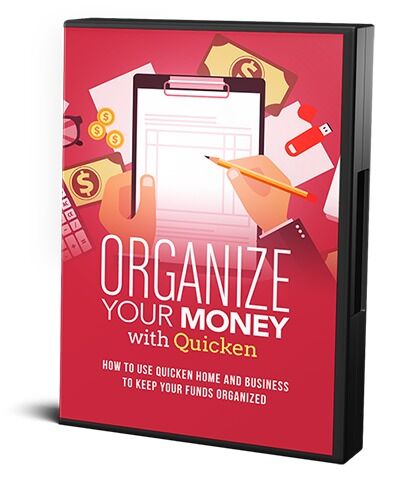
In this course, you’ll learn how to use Quicken Home and Business to create straightforward financial statements.
Topics covered:
- Using and Navigating Quicken
- Working with Cash on Hand
- Setting Up for PayPal
- Categorizing Transactions
- Part Business/Part Personal Transactions
- Tracking Cash Purchases
- Monitoring Cash Position
- Tracking Mileage
- Securing Your Data
- Working with PayPal for Business
- Understanding Financial Statements
- Working with Uncategorized Transactions
Terms
- [YES] Can be sold
- [YES] Can be used for personal use
- [YES] Can be packaged with other products
- [YES] Can modify/change the sales letter
- [YES] Can be added into paid membership websites
- [YES] Can put your name on the sales letter
- [YES] Can be offered as a bonus
- [YES] Can be used to build a list
- [YES] Can print/publish offline
- [YES] Can convey and sell Personal Use Rights
- [YES] Can convey and sell Resale Rights
- [YES] Can convey and sell Master Resale Rights
- [YES] Can be translated to other languages
- [NO] Can modify/change the main product
- [NO] Can modify/change the graphics and ecover
- [NO] Can be given away for free
- [NO] Can be added to free membership websites
- [NO] Can convey and sell Private Label Rights
- [NO] Can be added to shops/memberhips containing more than 500 products
Turn this PDF into an app
Download the product, then upload its PDF to the PDF to App converter. Free members get 1 conversion; paid plans include it.
Not sure what this license lets you do? Compare license types